
Development environment for the AI era
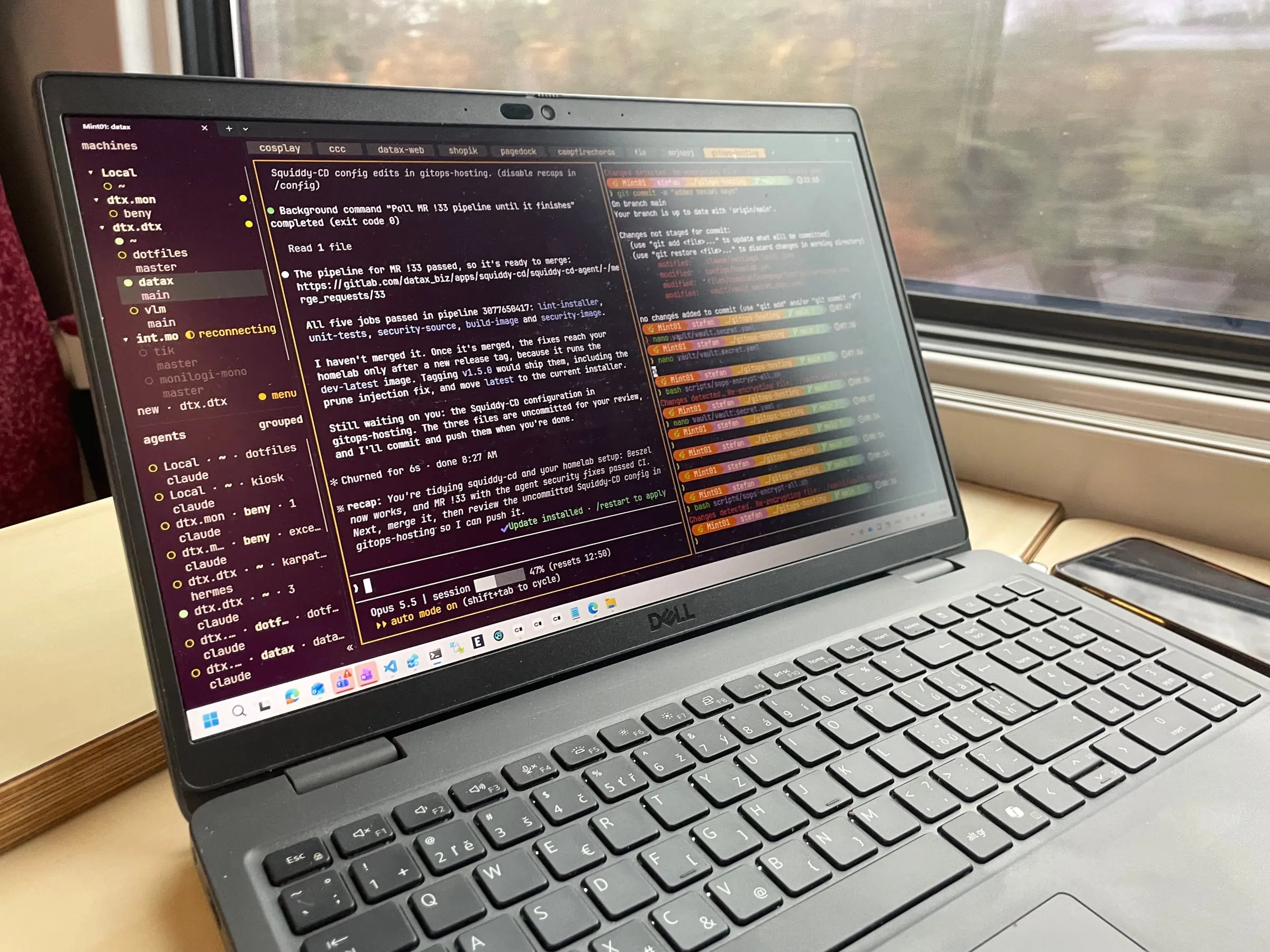
For over a year now I have been running the perfect development environment.
Perfect for me, that is… It turns out this topic is highly subjective. But the setup has survived trains, flaky Wi-Fi and a whole pile of different computers, so I think it is worth sharing.
The problem
The way I work changed a lot in the last two years:
- I travel a lot by train, with an internet connection that is problematic at best.
- I use several computers for different projects, each with its own environment.
Keeping every environment on every computer in sync and up to date turned out to be rather complex. So I started to experiment. What follows is the latest iteration, and the one that stuck.
One machine to rule them all
Instead of setting up every computer, I set up just one. I dedicated one of the Dell OptiPlexes I had at my disposal to be my programming workstation:
- i5 CPU
- 16GB RAM
- 256GB SSD
Nothing fancy. It runs Mint, but I only ever use it from a terminal, so any Linux would do.
Reachable from anywhere
A workstation is only useful if I can get to it. The key to working with it from any computer, anywhere in the world, is a VPN. I opted for NetBird, with great satisfaction.
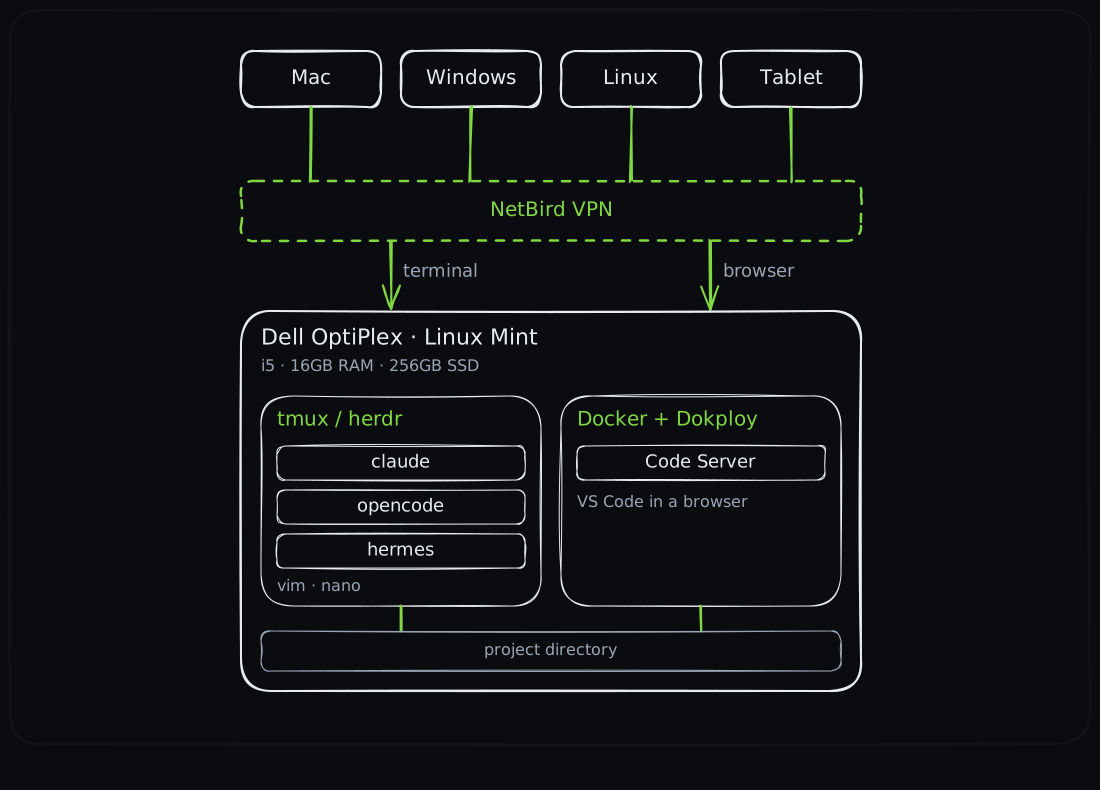
Every device reaches the one workstation over NetBird: the terminal for tmux or herdr and the agents, the browser for VS Code.
The tools
A terminal multiplexer
The most important tool for me is a terminal multiplexer. For years that meant
tmux. These days I often prefer herdr, because it was built with AI as a
first-class citizen. It deserves a closer look, so it will get its own post.
CLI agents
My agent toolbox:
claudeopencodehermes
Editors
In the terminal I use vim and nano. I never got to the point of adopting
neovim.
VS Code, in any browser
My IDE of choice has been VS Code for years, and I wanted it on every computer
too. So I installed docker and Dokploy (not really
necessary, but a convenience) and use them to run
Code Server.
That gives me VS Code in any browser. The only trick was pointing the project directory in its environment variables to the actual project directory on the machine.
The shell and everything around it
Finally, I customized ZSH and installed the command line tools I reach for every day:
- Shell:
zshwith Oh My Zsh and the pluginszsh-autosuggestions,zsh-history-substring-search,zsh-vi-modeandfast-syntax-highlighting. The prompt is Starship, drawn with JetBrains Mono Nerd Font. - Better basics:
ezainstead ofls(with icons and git status),batinstead ofcat,ripgrepinstead ofgrep,fdinstead offind. - Navigation:
fzffor fuzzy search of files and history (fed byfd), andzoxideto jump to directories I visit often. - Everyday helpers:
jqfor JSON,xclipto pipe output straight into the clipboard,shellcheckfor my shell scripts. - Languages: Node.js via
nvm, pluspnpm,bunanduvfor Python. - Secrets:
sopswithagefor encrypted tokens in the repository, and the Bitwarden CLI (bw).
All of it in one repository
None of this is set up by hand. It all lives in a private dotfiles repository:
GNU stow links the configuration into place, and one idempotent script
installs everything. Setting up a new machine means cloning the repository and
running a single command.
The dotfiles repository deserves its own post too. More on it soon.
What I get out of it
- Any platform. Mac, Windows, Linux, even my iPad or Android tablet. All I need is a terminal and a web browser, and I get my environment with my preferred configuration.
- Work on the road. The train is an office now.
- Sessions that survive a dropped connection. Long-running processes, such as AI agent sessions, keep running while my connection is down. When it comes back, I pick up where I left off.
- It scales beyond me. A setup like this is easy to replicate, even company-wide for multiple users.
It handles most of the projects I am usually involved in. For me, that is as close to perfect as it gets.